
Find downloads and release details in one place.
AN ANDROID GUIDE FOR YOUR NEXT MOVE
Insta Pro APK: download, setup & help
Find the APK download, check its release details, and get clear Android steps for installation, updates and everyday problems.
Independent guides. Not affiliated with Instagram, Meta or the Insta Pro developer.
THE QUICK TAKE
Start with a clearer picture.
Choose Android steps for your exact task.
Understand features before changing your app.
CHOOSE YOUR NEXT STEP
Insta Pro guides for Android
Browse download information, installation checks, comparisons and update help.
01
Insta Pro APK download guide
Check release details, source information and what remains unverified.
Check download details02
Install Insta Pro on Android
Understand Android installation prompts and keep security protection on.
Read the installation guide03
APK safety and permissions
A practical look at permissions, file provenance and account considerations.
Explore the safety guide04
Fix installation or app errors
Start with your symptom: installation errors, crashes or login problems.
Find troubleshooting steps05
Insta Pro vs official Instagram
Compare the official app with claims about modified builds.
See the comparison06
Prepare an Insta Pro update
Check the source, signing identity and recovery options before replacing a build.
Read the update guideSEE THE NEXT STEP
Useful steps, at a glance
Simple guide diagrams to keep the important checks together.
Swipe through the checklists, or open a diagram to read it at full size.
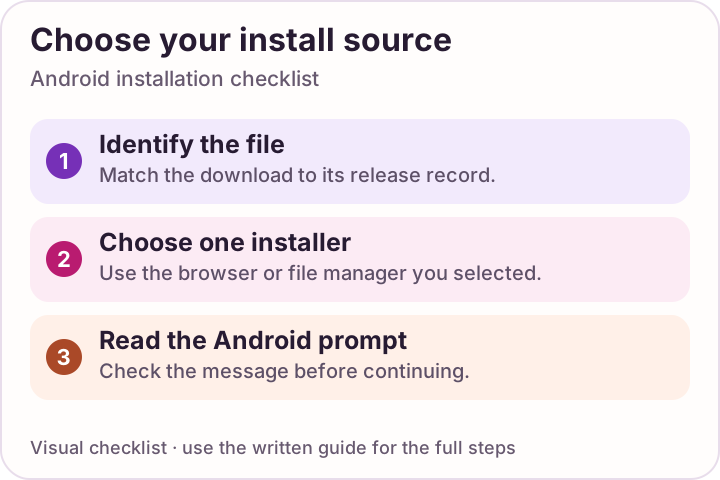 Enlarge checklist
Choose one installer
Allow installation only for the app you deliberately chose. Stop if Android raises a security warning.
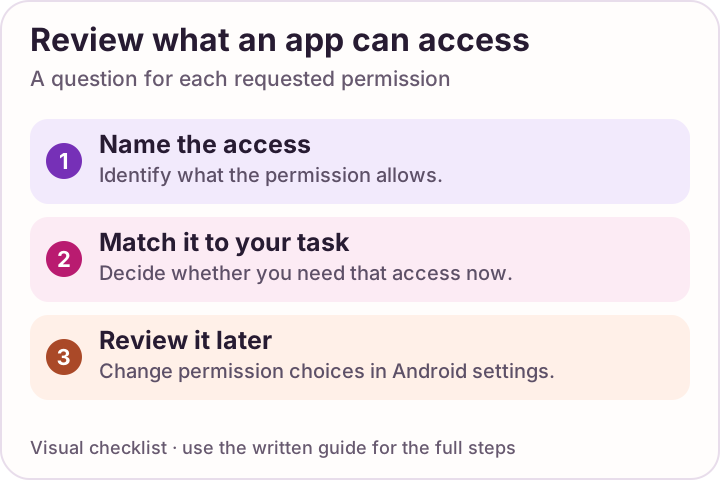 Enlarge checklist
Review each permission
Check what an app can access and remove permissions you do not need.
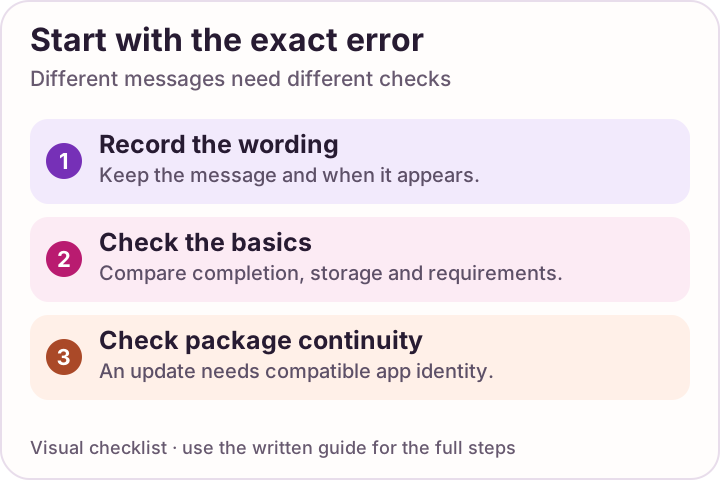 Enlarge checklist
Start with the error
Read the installation message before changing settings or replacing a working app.
What is Insta Pro, and where should you start?
Insta Pro, also written InstaPro or Instagram Pro, is a name commonly used for unofficial modified Instagram clients for Android. People look for them for media-saving tools, appearance settings and controls over activity indicators. The name describes a category of clients; it does not identify one current package or make the app an official Meta upgrade.
Choose the question you want answered first. A download page helps you identify a release, an installation guide explains Android’s prompts, and troubleshooting starts with the message or action that fails. Keeping those tasks separate makes it easier to find the next useful step.
Find the guide for what you want to do
Find a download
See the current download status, available release details and device requirements in the Insta Pro APK download guide.
Install on Android
Open the file, understand the installer’s permission and close that permission afterward. Follow the step-by-step installation guide.
Update an existing app
Record what is installed, preserve local drafts and compare the replacement package. Start with how to update Insta Pro.
Fix a specific problem
“App not installed,” a crash, a login error and a missing saved file need different checks. Choose your symptom in Insta Pro troubleshooting.
Understand the features people search for
A useful feature comparison names the action you want to complete. “More features” tells you less than whether you can locate a saved video, change a readable theme or adjust one activity indicator.
Photos, videos, reels and stories
A bookmark keeps a reference inside the app; a saved file should be available on the phone. Check each media type separately: a photo should open at its expected dimensions, while a video, reel or video story should play through. Check the destination too.
Explore media feature termsActivity and privacy controls
Online status, story views and message receipts are separate indicators. Name the one you want to change. A control for an indicator does not describe how the client handles your account session.
Compare by the action you needThemes and appearance
Colors, fonts and layout affect different parts of readability. Check whether labels remain clear, larger text fits and the setting stays in place after restarting the app.
Explore appearance feature termsThese explain feature terms rather than promise what an untested build includes. Check your current official app too: a particular feature may already be available. The Insta Pro vs Instagram comparison also covers updates, source and support.
Looking for a download button? This website’s APK button concerns the app installation file. A media-save button inside a client concerns a photo or video. Use APK download status for the first task and saved-media troubleshooting for the second.
Three details to check before opening an APK
| Detail | What to look for | Useful next step |
|---|---|---|
| Your device | An APK is an Android package. The release’s Android minimum must fit your phone; the same file is not an iPhone or native Windows installer. | Android, iPhone and computer options |
| Space for the app | The download’s size is only the package size. Installation and later app data need room too. No exact storage requirement has been established for a file here. | Installation preparation |
| An existing installation | Compare package and signing identity before treating a file as an update. A similar app name or icon does not establish that relationship. | Update identity checklist |
For a new installation, follow the prompts for the browser or file manager you chose. For a refused installation, save the exact error before changing settings. Keeping Play Protect enabled lets you see its warnings during that process.
Latest version in 2026, old versions or another variant?
An “Insta Pro APK latest version” search asks for a current package; an “old version” search usually asks how to recover from a change. A year in a title does not identify the file. Start with its actual release details, then choose the installation or update steps that match your situation.
Looking for the latest release?
Use the APK button in download options and compare the version details in the file record. Read how to identify a current release before treating a search-result title as evidence.
Considering an old version?
Note the version you have and when the problem began. Android uses an internal version code for downgrade checks, which is different from the visible version name. Read the older-version guidance before removing an app.
Comparing Pro 2 and Pro 3?
Compare the exact package, signer and stated changes from the source. A different label is not proof of better speed, extra features or support for another device. See variant names and package identity.
Insta Pro not working? Start with what happened
| What you see | Start here |
|---|---|
| App not installed or a package conflict | Check file completion, free space and the package you are replacing. Use the installation-error checklist. |
| The app opens and closes again | Note the failing action, restart and consider cache cleanup before clearing storage. Follow the crash checks. |
| Login fails or shows an account challenge | Compare access through official Instagram and use its recovery flow when needed. Read the login checks. |
| The feed, messages or files do not load | Check connectivity, compare the same task and note whether one item or every item fails. Use the loading checks. |
| Saved media is missing or will not play | Distinguish a file that was never created from one you cannot locate. Follow the media-saving checks. |
Before uninstalling or clearing app storage, preserve important local items. A short note of the phone model, Android version, app version and exact error makes the next check more useful.
Meet Muzamil Ahad, founder of Insta Atlas
Muzamil Ahad is the founder of Insta Atlas. Learn about the site, or connect with Muzamil on social media to share a question or correction with the page you are reading.
A FEW MORE ANSWERS
Questions about Insta Pro
Are Insta Pro and Instagram Pro the same thing?
Both names are commonly used for unofficial modified Instagram clients. A name alone does not prove two downloads are the same file. Compare the package identifier, release record and signing identity.
Where is the Insta Pro APK download button?
Use Download options on this page or the dedicated download guide. Selecting the APK button starts a five-second countdown, then opens the supplied file destination. Official Instagram is linked separately so you can see which app you are choosing.
How do I find the latest Insta Pro APK version in 2026?
Compare the file record, package version and release source. A year, a higher number or the word latest in a search result does not establish that a file is the current release. The download guide explains which details to check.
Can I install Insta Pro on an iPhone or PC?
An APK does not install natively on an iPhone or Windows PC. Use the platform-options guide for official Instagram routes and the distinction between a computer app and an Android emulator.
Should I try an old version when Insta Pro stops working?
Start with the exact symptom and installed version. An older release may not fix it, and Android can reject a downgrade. The update guide explains version codes and local-data considerations before you remove anything.
Who founded Insta Atlas, and how can I connect?
Muzamil Ahad is the founder. The About and Contact pages list his supplied social profiles, including LinkedIn, Instagram, Facebook, Quora, Medium, X and Pinterest.
Sources & review notes
Guidance sources reviewed 10 October 2026. Use the linked instructions for current Android and Instagram guidance.
MEET THE FOUNDER
Muzamil Ahad
Founder of Insta Atlas. Connect through the profiles below or read about the website.