
Official Instagram has an identified Meta store listing.
App comparison
Insta Pro vs official Instagram
Start with the feature you need. Then compare where the app comes from, how it updates and who can help when something breaks.
Independent guidance · no affiliation with Instagram, Meta or the Insta Pro developer.
THE QUICK TAKE
Before you begin.
Extra modified-client features need an exact-build check.
Compare the same task before switching apps.
The differences you can check
| Decision point | Official Instagram | Insta Pro clients |
|---|---|---|
| Publisher | Meta Platforms, Inc. on Google Play. | Public pages use publisher names, but no publisher identity has been authenticated here. |
| Installation source | The official store listing identifies the app and its support details. | Outside-store releases need their own source and package checks. |
| Updates | Updates are distributed through its store listing. | Check the exact package, signing continuity and legitimate release source. |
| Advertising | The Play listing discloses ads and in-app purchases. | No hands-on test here confirms the linked package’s advertising behavior. |
| Features | Capabilities can vary by account, country and rollout. | Modified-client pages advertise extra controls; actual behavior depends on the build. |
| Support | The official listing and Instagram Help Center provide identified routes. | A legitimate publisher support route has not been authenticated here. |
No app was installed for this comparison. It uses the official listing and source research, so it cannot name an overall feature winner.
Compare the job you want to do
Save something you own
Check the official app’s current options for that media type first. If a modified client promises more, ask which content it supports and how the result is stored.
Change who sees activity
Name the action: story viewing, online status or a message receipt. A setting called “privacy” is too broad to establish what another account can see.
Change the look
Decide whether you need a theme, font or layout change. Compare actual settings for the relevant build rather than a promotional screenshot.
For each task, compare the same account, device and current app versions. An old comparison chart can miss features that have since reached the official app.
SEE THE NEXT STEP
Visual checklists for this step
Simple guide diagrams to keep the important checks together.
Swipe through the checklists, or open a diagram to read it at full size.
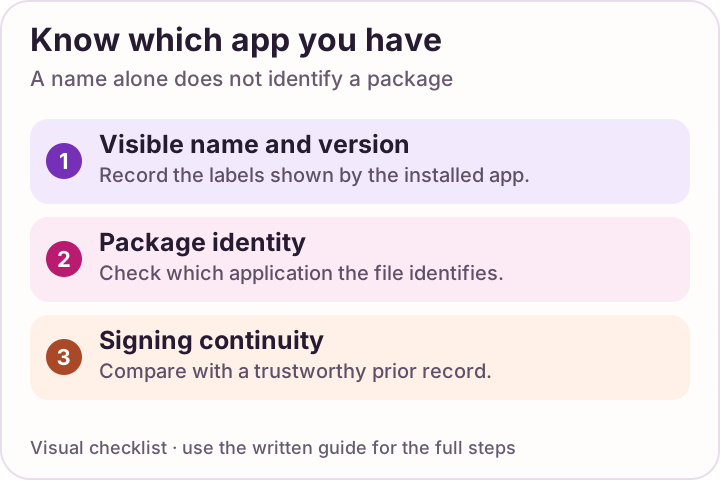 Enlarge checklist
Know your installed app
Find the version on your phone. Compare it with evidence for the exact package.
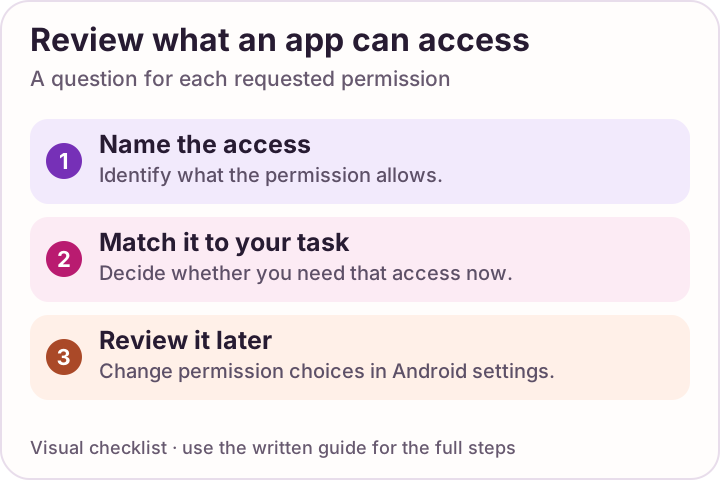 Enlarge checklist
Review each permission
Check what an app can access and remove permissions you do not need.
Insta Pro, Pro 2 and Pro 3: compare the package
A name on a webpage is not a package identity. “Pro,” “Pro 2” or “Pro 3” alone does not show whether two downloads are separate apps, compatible updates or labels for the same file. Start with the source’s exact file record rather than assuming the larger number is a newer or faster edition.
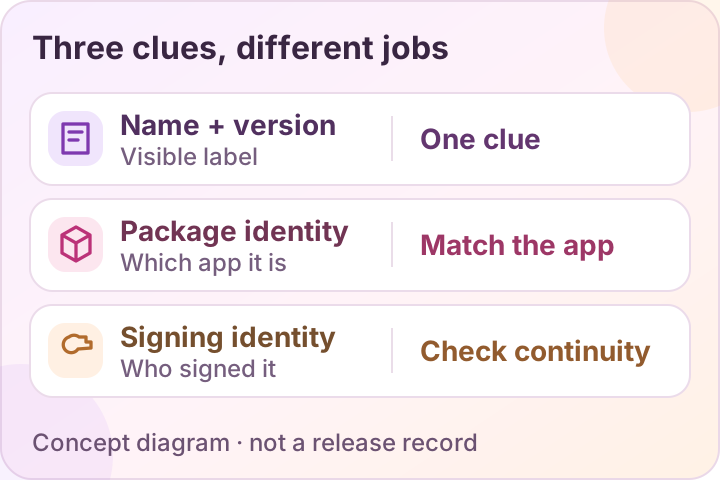
| What you have | What it can help establish | What it cannot establish alone |
|---|---|---|
| Publisher’s name or feature list | What the page claims about a variant. | Verified authorship, package identity or actual feature behavior. |
| Package and version record | Which application and release a reviewed file identifies itself as. | That the source is legitimate or that it updates an existing installation. |
| Signing record | Whether the file’s signing identity continues a trusted prior record, including valid key rotation. | The trustworthiness of the person behind a new signer. |
| A documented hands-on test | What happened for a named build, device and task. | All devices, accounts, later versions or behavior outside the test. |
Use the update identity checklist before replacing an app. Compare claimed features by the actual task, rather than treating a different variant name as proof of an improvement.
Before switching
- Preserve local drafts and note the settings you depend on.
- Know how you will update and who will support the app.
- Keep access to account recovery methods.
- Review requested permissions before choosing a client.
Start with permissions and account risks, then check the current source and download options. If you already have an installation, read the update guide before replacing it.
Official Instagram on Google Play is the identified Meta source in this comparison. That does not make any app or store risk-free.
A FEW MORE ANSWERS
Questions, answered.
Is Insta Pro better than Instagram?
That depends on the task and on a real build’s behavior. No hands-on test here supports an overall verdict. Official Instagram has an identified publisher and store source; extra modified-client features still need verification.
Does official Instagram lack every advertised extra feature?
No such broad claim is justified. Official features change and can vary by account or region. Check the particular action in your current app before relying on a comparison list.
Is a privacy setting the same as stronger data security?
No. A control that changes an activity indicator does not demonstrate how the client handles credentials, sessions or device data. Those are separate questions.
What is the difference between Insta Pro, Pro 2 and Pro 3?
Their names alone do not establish distinct apps or a feature hierarchy. Compare the exact package identifier, version, signer and source’s stated changes. A separate webpage or different icon cannot prove that a file is a compatible update or that it has more features.
Sources & review notes
Official guidance reviewed 11 October 2026. Official Android guidance supports the package and update checks below. Feature descriptions are explanations of commonly advertised actions; no Android installation or account-use test is reported here.