
A file hash or clean scan cannot guarantee safe behavior.
Permissions & account security
Is Insta Pro safe?
File metadata cannot establish a safety verdict. Evaluate the source, access requests and account implications before deciding whether to use an unofficial client.
Independent guidance · no affiliation with Instagram, Meta or the Insta Pro developer.
THE QUICK TAKE
Before you begin.
Review permissions against the action you chose.
Use official account-security tools from a trusted device.
A hash, signature and scan answer different questions
| Check | Useful for | Does not establish |
|---|---|---|
| SHA-256 hash | Checking whether a file matches recorded bytes. | Who is trustworthy or what the code does. |
| Signing certificate | Identifying the signer and checking update continuity. | That the signer is accountable or the behavior is harmless. |
| Security scan | Reading a result for one exact file at a recorded time. | Complete coverage, future behavior or account protection. |
A scan report should identify the same hash as the package. “Scanned” without a date and file match is not useful release evidence. Check the release verification record for available facts.
Ask what each permission is for
This checklist is for reviewing requests on your screen; it is not a permission audit of a tested Insta Pro build.
Camera & microphone
Are you deliberately recording, sharing audio or making a call? A request without a matching action needs an explanation.
Photos & files
Can you choose only the items you intend to share? Check whether a narrower choice is offered instead of assuming broad access is necessary.
Contacts & location
Do you need that access for the feature you selected? Decline unexplained requests and see whether the intended task still works.
Special access
Accessibility, device administration, notification access or broad file access deserve separate scrutiny. Ask why a social client needs that control.
A deny button helps you control a request; it does not establish the rest of the client’s behavior.
SEE THE NEXT STEP
Visual checklists for this step
Simple guide diagrams to keep the important checks together.
Swipe through the checklists, or open a diagram to read it at full size.
 Enlarge checklist
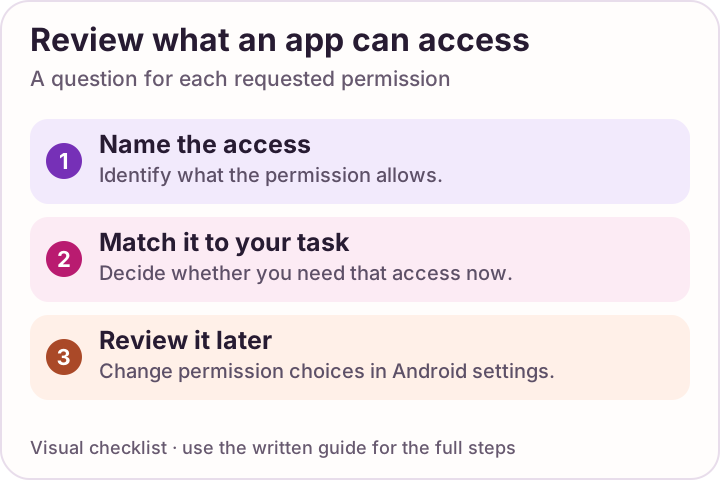
Review each permission
Check what an app can access and remove permissions you do not need.
 Enlarge checklist
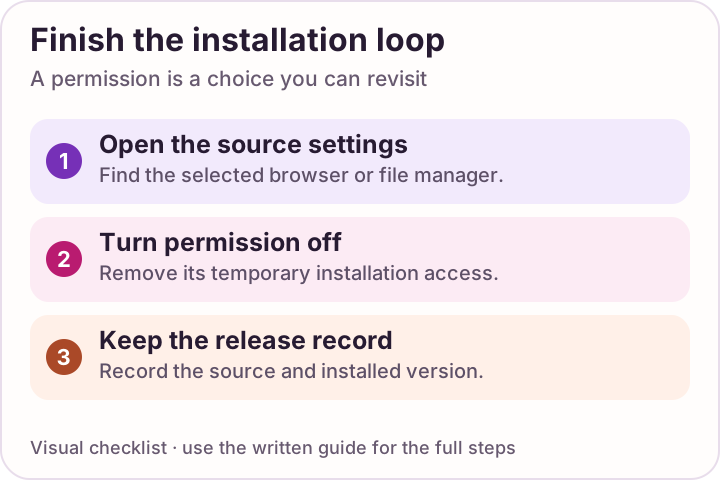
Close the permission loop
After installation, turn the selected installer permission off again.
If you are worried about a login
Use Meta’s account-security guidance from a device you trust. It covers passwords, login alerts, two-factor authentication and signed-in devices.
- Review sessions you do not recognize.
- Change a reused password and use a different one for each account.
- Enable two-factor authentication and keep recovery codes private.
- Use the official recovery route if you cannot regain access.
A spare account does not protect the rest of your phone from an unknown app. There is no evidence here for “ban-proof” access, guaranteed anonymity or compliance with Instagram’s current rules.
Reasons to stop and recheck
- A download redirects to an unexpected helper or unrelated file.
- A page asks you to disable Play Protect or bypass a warning.
- The app requests access with no clear connection to your action.
- A “support” contact asks for your password or recovery codes.
Keep Play Protect enabled. If you are choosing between clients, use the source and support comparison. For an update, check package and signing continuity rather than accepting a larger version number.
A FEW MORE ANSWERS
Questions, answered.
Can you say Insta Pro is malware-free?
No. Reading a package’s version, size or identity does not establish that its behavior is harmless. No hands-on behavior test or malware-free guarantee is reported here. Even a clean scan would not establish that guarantee.
Should I keep Play Protect enabled?
Yes. Google recommends keeping it on. Treat a warning as something to investigate, not a routine step to bypass.
Does a spare account make an unknown APK safe?
No. It does not remove device access, data exposure or uncertainty about the source. Account choice is not a substitute for evaluating the file and its behavior.
Sources & review notes
Guidance sources reviewed 10 October 2026. Menus and product behavior may change; use the linked instructions for your device.